
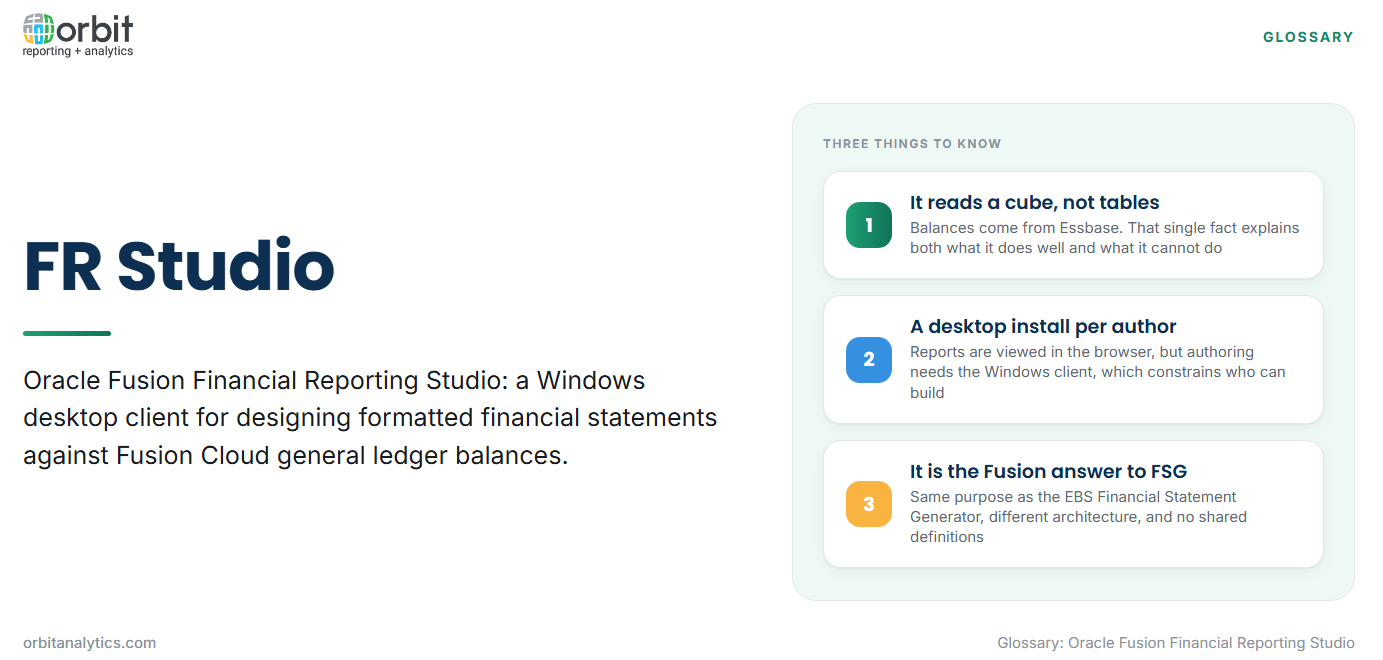
Oracle Fusion Financial Reporting Studio is a Windows desktop application used to design formatted financial statements against Oracle Fusion Cloud general ledger balances. It is usually shortened to FR Studio, and it is the tool most Fusion finance teams reach for when a statement has to look the same every month.
It is worth being precise about what it is, because “financial reporting studio” gets used loosely for any statement-building tool. Within Oracle it means this specific desktop client, downloaded and installed per report author, connecting to the Essbase cube that holds Fusion GL balances.
That connection is the single fact that explains most of FR Studio’s behaviour. It reads balances from a multidimensional cube, not transactions from the ledger tables. Everything it does well follows from that, and so does everything it cannot do.
Finance teams arriving from Oracle E-Business Suite usually want to know its relationship to the Financial Statement Generator. FR Studio is the Fusion counterpart to FSG, serving the same purpose with a different architecture, and the two do not share definitions.
The building blocks of an FR Studio report
- Grids are the core object. A grid is a two-dimensional layout of rows and columns, and a report can hold several alongside text and charts.
- Rows and columns are populated by selecting dimension members rather than by typing account codes, so a row can be an entire account hierarchy branch that expands as the hierarchy changes.
- Point of view holds the dimensions not shown on the grid: the ledger, the period, the scenario. Changing the point of view reruns the same report for a different context.
- Formulas, conditional formatting and suppression handle calculated rows, highlighting and the removal of empty lines, which is what makes output presentable.
- Report objects, books and batches assemble individual reports into bound sets and schedule them for distribution.
How an FR Studio report is built
- Connect to the data source. Point the client at the Fusion instance and the relevant cube.
- Insert a grid and set the dimensions. Decide which dimensions sit on rows, which on columns, and which stay in the point of view.
- Define rows from the account hierarchy. Select members or member ranges rather than fixed lists, so the report absorbs new accounts.
- Add columns for periods and scenarios. Actual, budget, prior year and the variance calculations between them.
- Preview, publish and schedule. Check against a known period, publish to the repository, then add it to a book or batch if it recurs.
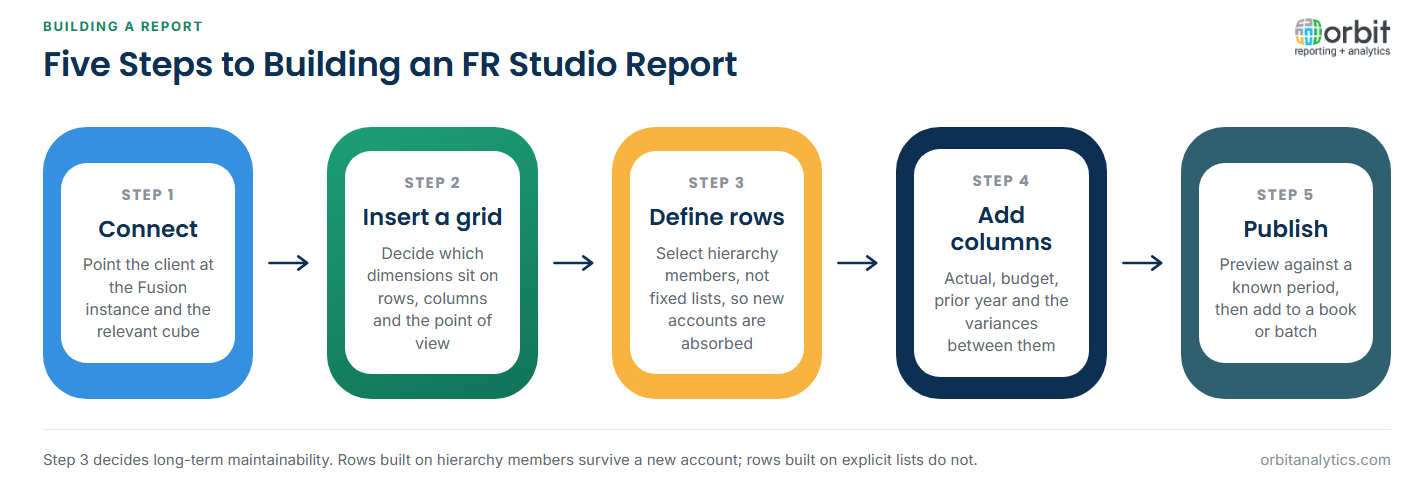
Step 3 is where long-term maintainability is decided. Rows built on hierarchy members survive a new account being added; rows built on explicit member lists do not.
What FR Studio is genuinely good at
Statutory statements with a fixed format are its natural home. When the requirement is that the balance sheet looks identical every month and ties exactly, FR Studio delivers that reliably.
Hierarchy-aware rollups are the second strength. Because rows reference the account hierarchy rather than a list, a report can present a summarized statement that drills into its own detail without a separate report being built.
Repeatable books and bursting are the third. A monthly board pack combining fifteen reports, generated once and distributed per entity, is exactly the job it was designed for.
The limits of FR Studio
Balances only, no subledger detail. Reading the cube means the invoice behind a payables balance is out of reach. Answering “what makes up this number” means leaving the report.
A Windows desktop install per report author. In an organization otherwise running browser-based tooling, this is a persistent friction, and it constrains who can author reports.
Dimension changes break existing grids. A restructured hierarchy or a renamed member can leave a report running but returning different figures, which is worse than an error.
A small pool of people who can maintain it. The skill combines Oracle dimension knowledge with statement design, and in most organizations it sits with one or two people.
The first of those limits is the one users notice daily. Orbit Analytics closes it by reporting the same balances with the subledger detail attached, so a statement line opens into the invoices behind it.
FR Studio and the wider Oracle reporting stack
FR Studio is one of four tools, and the overlap between them is the main source of confusion.
OTBI queries curated subject areas for operational and ad hoc analysis. It reaches transactional detail FR Studio cannot, but it is not a statement tool.
Smart View is the Excel add-in reading the same cube as FR Studio. Analysts use it to explore and model, where FR Studio produces a controlled, repeatable artefact.
BI Publisher produces pixel-controlled documents, typically operational output such as invoices and remittances rather than statements.
The practical division is that FR Studio owns the statement, OTBI owns the enquiry, Smart View owns the analysis and BI Publisher owns the document.
Reporting across Fusion Cloud and EBS together
Group reporting rarely respects the boundary between systems. Most organizations running Financials Cloud still have entities on E-Business Suite, and the group statement has to include both.
FR Studio cannot help there, because it reads the Fusion cube only. On the EBS side the equivalent tool is the Financial Statement Generator, which reads EBS general ledger balances and has its own row and column set definitions. The two tools cannot share definitions, so a group producing one statement across both is maintaining the same report twice and reconciling the halves by hand.
Orbit Analytics addresses that directly, reading live balances from both platforms into one reporting layer so a single statement covers entities on either system. Its Fusion financial reporting also keeps the drill path from a statement line back to the transactions behind it, which is the gap FR Studio leaves.
Financial Reporting Studio compared with the alternatives
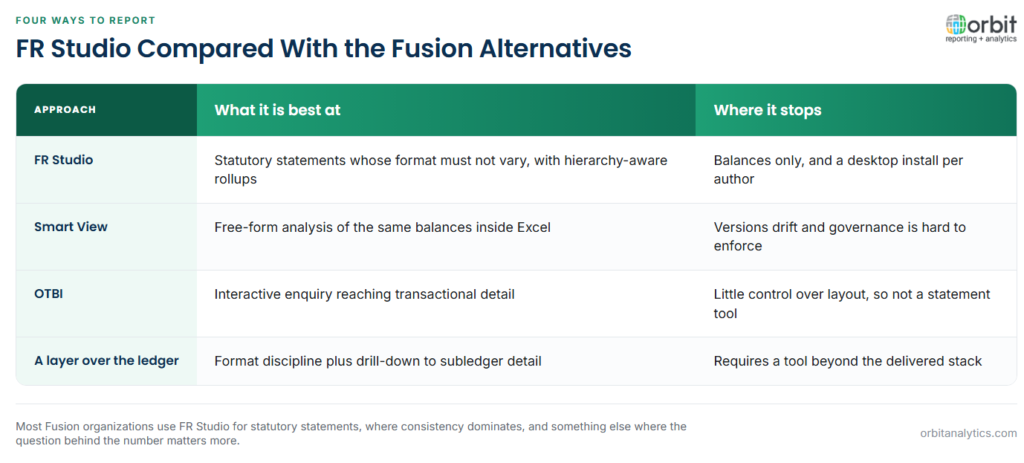
FR Studio vs. Smart View. Both read the same cube. FR Studio produces a governed, repeatable statement; Smart View gives an analyst free rein in Excel. Choose FR Studio when the output must not vary, Smart View when the point is to explore.
FR Studio vs. OTBI. FR Studio reads balances and formats them precisely. OTBI reads subject areas and reaches transactional detail, with far less control over layout. Statement work goes to FR Studio; questions about what happened go to OTBI.
FR Studio vs. a reporting layer over the ledger. A dedicated reporting layer aims to keep FR Studio’s format discipline while removing its two hard limits, adding drill-down to subledger detail and browser-based authoring. The trade-off is a tool beyond the delivered stack.
Most Fusion organizations settle on FR Studio for statutory statements, where consistency dominates, and something else for management reporting, where the question behind the number matters more than the layout.
Frequently Asked Questions
Q1. What is Oracle Fusion Financial Reporting Studio?
It is a Windows desktop application for designing formatted financial statements against Oracle Fusion Cloud general ledger balances, held in an Essbase cube rather than in the ledger tables.
Q2. Is Financial Reporting Studio a desktop or browser tool?
It is a desktop client installed per report author. The reports it produces are viewed in the browser, but authoring requires the Windows install.
Q3. What data does FR Studio read?
General ledger balances from the Fusion Essbase cube. It does not read subledger transactions, which is why drill-down to an invoice is not available from within a report.
Q4. What is the difference between FR Studio and Smart View?
Both read the same cube. FR Studio produces a governed statement whose format does not vary; Smart View brings the same balances into Excel for free-form analysis.
Q5. What is the EBS equivalent of Financial Reporting Studio?
The Financial Statement Generator. It serves the same purpose in E-Business Suite using row sets and column sets, and its definitions cannot be transferred to FR Studio.
Q6. What happens to FR Studio reports when a hierarchy changes?
Reports built on hierarchy members generally absorb the change. Reports referencing specific members can keep running while returning different figures, which is harder to detect than an outright failure.
FR Studio ends where the balance ends, and most follow-up questions are about what sits underneath it. Orbit Analytics reports Fusion Cloud and EBS balances together with drill-down to the source transactions. Request a demo to see it against your own statements.
