
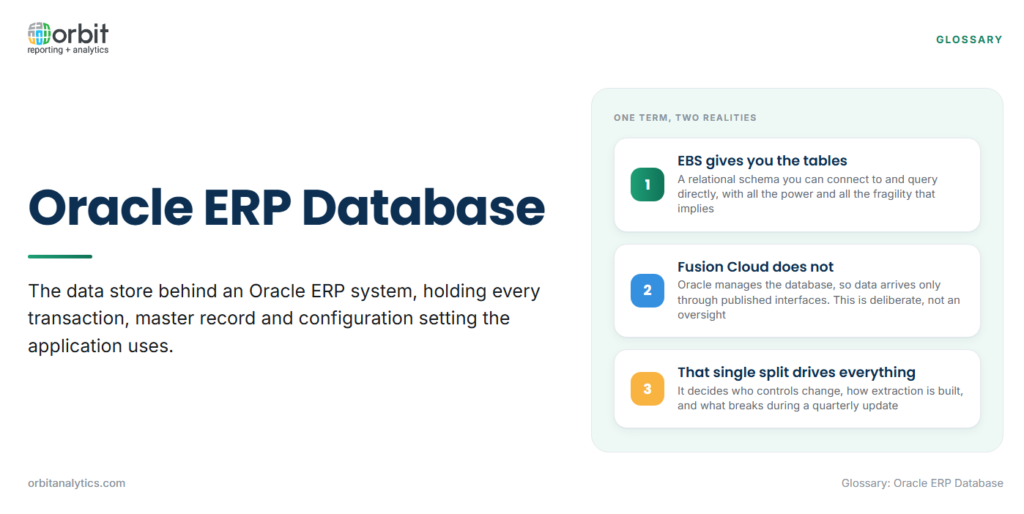
The Oracle ERP database is the underlying data store behind an Oracle enterprise resource planning system, holding every transaction, master record and configuration setting the application uses. In practice the phrase means two quite different things depending on which Oracle ERP is meant, and conflating them is the most common source of wasted effort in ERP reporting projects.
For Oracle E-Business Suite it means a relational schema you can connect to and query directly. For Oracle Fusion Cloud it means a managed database you cannot reach at all, where data is available only through published interfaces. Same words, opposite working assumptions.
How the schema is organized
- Modules own schemas. Each application area has its own schema owner, so payables objects sit under AP, general ledger under GL, receivables under AR, inventory under INV. Knowing the owner narrows a search from thousands of objects to dozens.
- Base tables, interface tables and views serve different purposes. Base tables hold the real records. Interface tables are staging areas for inbound data. Views assemble readable combinations, and are usually the safer starting point.
- Naming conventions tell you what an object is. A trailing _ALL indicates a table spanning operating units. _TL marks a translated table carrying language-specific text. _V marks a view. These suffixes save a great deal of guesswork.
- Keys and flexfields determine how records join. Most joins go through system-generated identifiers rather than business keys, and the accounting flexfield is stored as a code combination identifier rather than the readable account string.
The tables that matter most for reporting
Reporting rarely needs more than a small fraction of the schema. These are the areas most requests land in.
| Area | What the reporting question usually is |
| General ledger | Balances by account and period, journal detail behind them |
| Payables | Open invoices, aging, payment history, supplier balances |
| Receivables | Customer balances, collections, credit exposure |
| Inventory and orders | Stock position, order status, fulfilment cycle time |
| Human capital | Headcount, assignments, cost centre allocation |
Accessing the Oracle EBS database
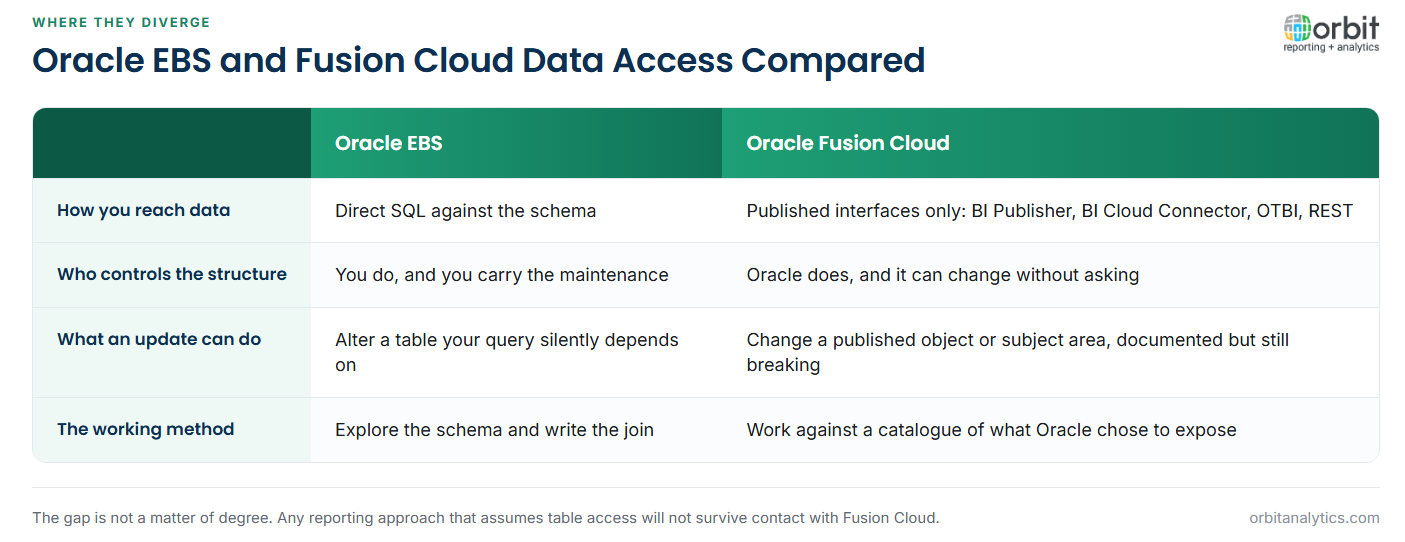
E-Business Suite allows direct SQL against the schema, which is genuinely powerful. Any question that can be expressed as a join can be answered, without waiting for a vendor to expose an interface.
That freedom carries two real risks. The first is performance: a poorly written report against production competes with the transactions the business is trying to process, and an ERP slowed by reporting is a serious operational problem. Read replicas and dedicated reporting instances exist for exactly this reason, and any sustained reporting workload belongs on one.
The second risk is fragility. Direct queries encode assumptions about table structure, and those assumptions are undocumented in the query itself. A patch changes a column, the query keeps running, and the number it returns is quietly wrong.
Accessing the Oracle Fusion Cloud database
Fusion Cloud does not permit direct table access, and this is deliberate rather than an oversight. Oracle manages the database, so preventing direct access is what allows it to change the underlying structure without breaking every customer.
Data reaches reporting through a defined set of routes: BI Publisher data models running SQL server-side against a published data model, BI Cloud Connector for scheduled bulk extraction into cloud storage, OTBI subject areas for analytical queries against a curated layer, and REST and SOAP services for record-level integration.
For reporting teams this changes the working method. Rather than exploring a schema, you work against a catalogue of what Oracle has chosen to expose, and anything absent from that catalogue requires a support request rather than a clever join.
Where the two models diverge
The gap is not a matter of degree. In EBS you hold the structure and can query anything; in Fusion Cloud Oracle holds it and you query what is published. That single difference determines who controls change, how extraction is built, and what breaks during an update.
It also changes what a quarterly update means. On EBS a patch may alter a table your report depends on, and nobody outside your team knows the report exists. On Fusion Cloud an update may change a published object or a subject area, which Oracle documents, but your extraction still has to be revalidated against it.
Getting reporting data out reliably
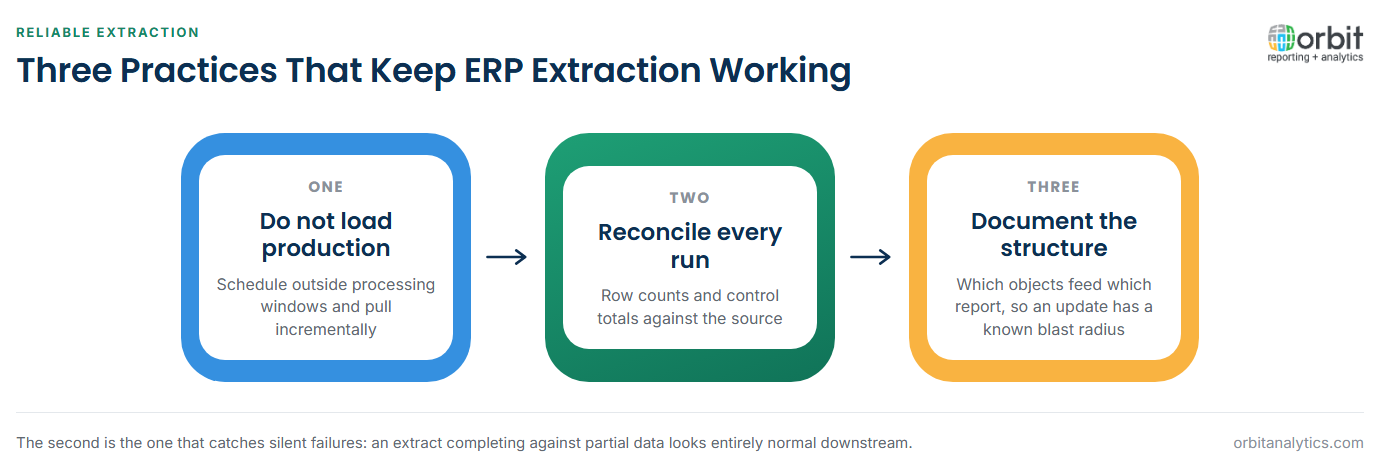
Three practices separate extraction that holds up from extraction that quietly degrades.
- Extract without loading the transactional system. Schedule outside processing windows, pull incrementally where the source supports it, and never point an interactive dashboard directly at production.
- Reconcile every extract against the source. Compare row counts and control totals. An extract that completes against partial data looks entirely normal downstream.
- Keep the structure documented. Record which objects feed which report, so an update has a known blast radius rather than an unknown one. This is exactly the artefact described under data mapping.
Orbit Analytics maintains pre-built knowledge of both the EBS schema and the Fusion Cloud interfaces, so extraction is configured against a maintained model rather than rebuilt from first principles after each update. Teams needing direct query access to Fusion data can also use SQL for Oracle Fusion rather than assembling extracts by hand.
Security and governance on ERP data
Application security and database security are not the same thing, and treating them as equivalent creates real exposure. Oracle applications enforce access through responsibilities, roles and data access sets, so a user sees only their operating unit or their business unit. The database layer beneath knows none of that.
A reporting layer that connects with a privileged database account and grants blanket access has silently removed the security model the organization relies on. Entitlements need to be inherited from the source application, not reinvented, which is how Orbit Analytics applies access to Oracle data rather than maintaining a second set of rules. This matters most for payroll and personal data, where a reporting shortcut can become a data protection incident.
Oracle ERP database vs. data warehouse vs. reporting layer
The three are built for different jobs, and most disappointment comes from asking one to do another’s.
The ERP database is built for transactions. It is normalized for write integrity, which is precisely what makes it awkward to query and slow to aggregate.
The warehouse is built for history. It keeps periods the ERP has purged, models data for reading rather than writing, and joins finance to operations on a common key.
The reporting layer is built for questions. It maps physical structures to business terms so a finance manager selects “Net Revenue” instead of a code combination identifier.
Deciding which layer a question belongs to before building anything avoids most of the rework in ERP reporting projects.
Frequently Asked Questions
Q1. What is the Oracle ERP database?
It is the data store behind an Oracle ERP system. For E-Business Suite it is a relational schema that can be queried directly; for Fusion Cloud it is a managed database reachable only through published interfaces.
Q2. Can you query the Oracle Fusion Cloud database directly?
No. Oracle does not permit direct table access. Data is available through BI Publisher data models, BI Cloud Connector extracts, OTBI subject areas, and REST or SOAP services.
Q3. How is the Oracle EBS database structured?
By module, with each application area owning its own schema. Object names carry conventions such as _ALL for multi-operating-unit tables, _TL for translated text and _V for views.
Q4. What are base tables and interface tables in Oracle EBS?
Base tables hold the actual application records. Interface tables are staging areas where inbound data lands before validation and import into the base tables.
Q5. Why does reporting against the ERP database slow it down?
Because reporting queries compete with transaction processing for the same resources. Sustained reporting workloads belong on a read replica or a dedicated reporting instance.
Q6. What happens to reporting when Oracle applies a quarterly update?
Structures or published objects can change. Direct EBS queries can silently return wrong results, and Fusion extractions need revalidating against the updated catalogue.
Extraction that survives quarterly updates is a maintenance problem, not a one-time build. Orbit Analytics keeps the EBS schema and Fusion Cloud interface models current so reporting keeps working through them. Request a demo to see it against your own environment.
