
It is 11:45 PM on a Friday. The office is largely empty, but the finance department is still glowing with the blue light of a dozen monitors. This is the month-end close—a period that should be the strategic highlight of the financial calendar, yet for too many enterprise organizations, it devolves into a chaotic, adrenaline-fueled race against the clock. If you are a Chief Financial Officer, a VP of Finance, or a Financial Controller, you know this scene all too well.
Instead of dedicating time to strategic forecasting, variance analysis, and guiding executive decision-making, your highly skilled, highly compensated finance team is trapped in the trenches of data management. They are executing manual data dumps from legacy ERP systems, writing complex SQL queries they barely understand, and dealing with the perennial nightmare of version control. The shared drive is littered with files named Q3_Close_vFinal, Q3_Close_vFinal_v2, and Q3_Close_ABSOLUTE_FINAL_USE_THIS.
Hours, sometimes days, are utterly wasted merely verifying data accuracy instead of actually analyzing the numbers. When a single VLOOKUP breaks or a macro misfires, the entire consolidation process grinds to a halt. The frantic search for the #REF! error begins, draining morale and pushing deadlines dangerously close to the edge. This is not financial analysis; this is data survival. And in today’s hyper-competitive corporate environment, relying on manual data manipulation is an unsustainable operational risk that compromises the integrity of your financial posture.

The Core Problem: The BI Illusion vs. The Excel Reality
Recognizing this pain, many enterprise IT departments have attempted a technological intervention. The standard playbook is predictable: invest millions of dollars into a shiny, expensive new Business Intelligence (BI) platform. The promise is alluring—a pristine, unified dashboard where all financial data is neatly visualized in colorful pie charts and bar graphs.
However, a glaring core problem persists: despite the influx of expensive new BI tools, Finance teams still run on Excel.
Why? Because Finance is fundamentally different from other departments. A marketing team might be perfectly satisfied with a high-level web dashboard showing lead conversions. But a Financial Controller needs to audit the underlying transactions. They need to understand the nuances of a specific journal entry, perform ad-hoc modeling, adjust for accruals, and execute what-if scenarios on the fly.
Forcing finance professionals into rigid, pre-configured web interfaces fundamentally misunderstands how they work. These web-based BI tools are often inflexible. If a VP of Finance wants to add a new column to a P&L statement to analyze a newly acquired subsidiary, they usually cannot do it themselves. They must submit a ticket to IT, wait two weeks in the development sprint cycle, and hope the resulting report actually meets their specifications.
This creates immense friction. It drastically slows down user adoption and ultimately breeds resentment. What happens next is a phenomenon known as “shadow IT.” Finance professionals will simply log into the expensive new BI tool, find the “Export to CSV” button, dump the data back into Excel, and continue working the way they always have. The expensive BI tool essentially becomes an overpriced data extraction portal, and the organization is plunged right back into the manual, error-prone chaos of disconnected spreadsheets. The cycle of inefficiency remains completely unbroken.
The Solution Strategy: Connecting, Not Abandoning
To truly revolutionize the month-end close, enterprise leadership must undergo a critical paradigm shift. We must recognize a fundamental truth: true modernization does not mean abandoning Excel; it means connecting Excel directly to the live ERP.
Microsoft Excel is not the enemy. It is the most powerful, flexible, and universally understood financial software on the planet. It is the native language of accounting. The issue is not the spreadsheet itself; the issue is that the spreadsheet is disconnected from the single source of truth. When Excel relies on static, manually exported data, it becomes a liability. But what if we could eliminate the manual data extraction? What if we could transform Excel from a static canvas into a dynamic, intelligent window directly into your enterprise financial data?
This is the solution strategy that forward-thinking CFOs are adopting. Instead of trying to force finance teams out of the tool they love, we empower them within it. By integrating the spreadsheet directly with the live ERP database—such as Oracle Fusion Cloud ERP or Oracle E-Business Suite—we remove the friction entirely. We eliminate the data dumps, we eradicate the version control issues, and we restore data integrity. The spreadsheet becomes a governed, secure, and automated interface for enterprise reporting.
The Orbit Solution: Spotlight on GLSense
This strategic vision is exactly why we built Orbit GLSense here at Orbit Analytics.
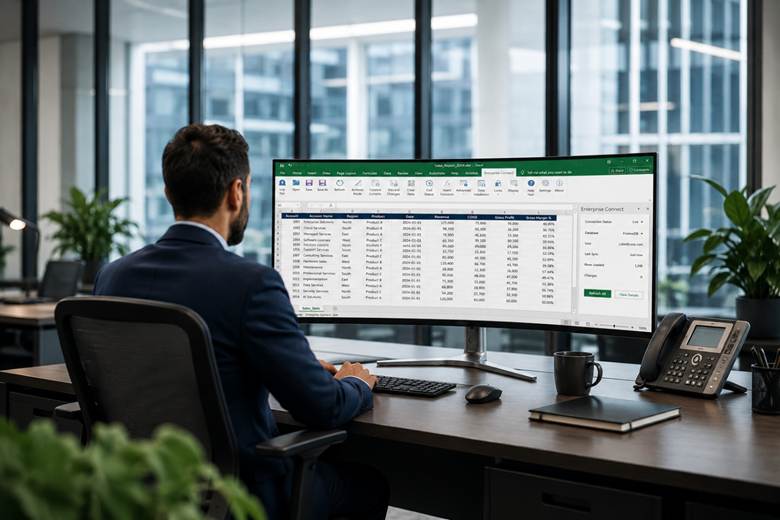
Orbit GLSense is a game-changing, AI-powered financial reporting tool designed to streamline and enhance the financial close process. It is a purpose-built Microsoft Excel add-in that bridges the gap between your finance team’s favorite interface and your organization’s complex ERP architecture.
By acting as a native extension within the Excel ribbon, Orbit GLSense empowers your team to report directly from their existing workbooks. It does not require them to learn a new, convoluted BI platform or master a proprietary coding language. It simply supercharges the Excel environment they already know and trust, connecting it directly to your live enterprise data. This is how we transition the month-end close from manual to magical.
Key Features to Highlight
To truly understand the transformative power of Orbit GLSense, we must look at the specific capabilities that are redefining financial reporting efficiency for enterprise organizations worldwide.
1. Live Integration with Oracle General Ledger
Waiting for overnight data warehouse refreshes or submitting IT requests for customized data extracts is over. Orbit GLSense provides a live, seamless integration directly into your Oracle General Ledger. This means your finance team can access all General Ledger segments, accounts, and hierarchies instantly. Whether you are dealing with complex intercompany segments, cost centers, or balancing segments, GLSense exposes Oracle’s underlying GL structures as intuitive, point-and-click dimensions directly inside the Excel ribbon.
This direct connectivity fundamentally changes the speed of business. When a journal entry is posted in Oracle Cloud Financials, it is immediately available for analysis in your Excel workbook. This real-time visibility is the cornerstone of an agile, modernized finance department, allowing controllers to identify discrepancies and execute reconciliations the moment they occur, rather than discovering them days later.
2. Compose Financial Statements Natively in Minutes
Building structured financial statements once required specialized technical knowledge, relying on legacy tools or complex SQL. Orbit GLSense democratizes this entirely.
With GLSense, finance users have the unparalleled ability to compose Trial Balances, Balance Sheets, and Profit & Loss (P&L) Statements in a matter of minutes. By simply defining rows and columns natively in Excel, users can map their specific GL accounts and hierarchies to the exact formatting their executive board requires. Because GLSense leverages the native Excel calculation engine, your existing formulas, conditional formatting, and variance columns (such as actuals vs. budget or current vs. prior year) remain completely intact. You are simply feeding those formulas with live, automated data instead of manual copy-and-paste entries.
3. Real-Time Refresh Capabilities
Perhaps the most significant source of risk in traditional financial reporting is the reliance on static data exports. The moment a CSV file is downloaded, it is instantly out of date. If late-arriving adjustments or elimination entries are processed in the ERP, the static spreadsheet is completely oblivious to the changes.
Orbit GLSense eradicates this risk with robust real-time refresh capabilities. There are absolutely no more static data exports. Every single cell in a GLSense workbook functions as a live formula pointing directly at your ERP. When closing day approaches and the final adjustments are being made, a user simply clicks the “Refresh” button in the GLSense ribbon. Instantly, the entire workbook—every balance sheet, every income statement, every pivot table—updates to reflect the absolute latest posted journals.
Furthermore, GLSense empowers users with comprehensive drill-down capabilities. If a VP of Finance questions a sudden spike in operating expenses on a summary-level P&L, they do not need to hunt down the source file. With a simple right-click, they can drill down from the summary balance to the specific account, down to the journal header, and all the way to the individual sub-ledger transaction lines. This unprecedented transparency is vital for auditing, flux analysis, and ensuring total confidence in the numbers being presented to the board.
4. Strict Inheritance of Oracle’s Role-Based Security
One of the most frequent objections IT and audit teams raise regarding Excel-based reporting is the potential compromise of data governance. When data is extracted into a flat file, it loses the robust security protocols established within the enterprise application.
Orbit GLSense solves this critical compliance challenge perfectly. When utilizing GLSense, there is a strict inheritance of Oracle’s native role-based security directly into the spreadsheet. The system perfectly mirrors the user’s existing ledger access, data access sets, and segment value security.
If a regional controller is only authorized to view data for the European division within Oracle ERP, that exact restriction applies inside the GLSense-enabled workbook. They cannot pull balances from North American ledgers, even within shared templates. This ensures sensitive financial data remains tightly governed and fully compliant with internal controls and auditing standards, delivering the convenience of Excel without the risk of unmanaged spreadsheets.
The Paradigm Shift: From Data Gatherers to Strategic Advisors
Implementing a solution like Orbit GLSense does much more than simply shorten the month-end close by a few days—although that alone yields a tremendous return on investment. It fundamentally alters the DNA of the finance department.
By automating the mundane, manual tasks of data aggregation and verification, you are liberating your team’s intellectual capital. You are elevating them from mere data gatherers to strategic advisors. Instead of spending Friday night reconciling broken VLOOKUPs, they can spend their time identifying cost-saving opportunities, modeling future growth scenarios, and providing the deeply insightful financial guidance that the modern enterprise demands.

The month-end close is a critical narrative of your company’s performance. It is time to stop struggling with the mechanics of writing that narrative, and start focusing on what the story is actually telling you. Modernizing your financial reporting does not require a disruptive overhaul of the tools your team relies upon daily. It simply requires a smarter connection. Give your finance professionals the data they need, precisely when they need it, in the exact format they prefer. Transform the chaotic, manual struggle of the financial close into a seamless, magical, and highly strategic operation.
Download our Fact Sheet: Spreadsheets Built for Business to see GLSense in action.


